Google Search Console (GSC) shows you how Google sees your site, but ranking is no longer just about traditional search. When I was building my own portfolio, I realized you don't have to be an SEO expert to manage this.
As a developer, you can handle most SEO yourself with a few targeted changes in your code. This is what worked for my portfolio with both traditional crawlers and modern answer engines.
1. Regularly Monitor and Debug Indexing Status
The Pages report under the "Indexing" tab shows you which pages Google has indexed, ignored, or rejected.
I focus on 404s first. You can largely ignore "Discovered - currently not indexed" for brand new pages, as Google is simply managing its crawl budget. This is especially true for non-HTML files like llms.txt. Traditional search engines might never prioritize indexing raw text files meant for AI crawlers, but that is perfectly fine. Answer engines and LLM bots will still find and read them.
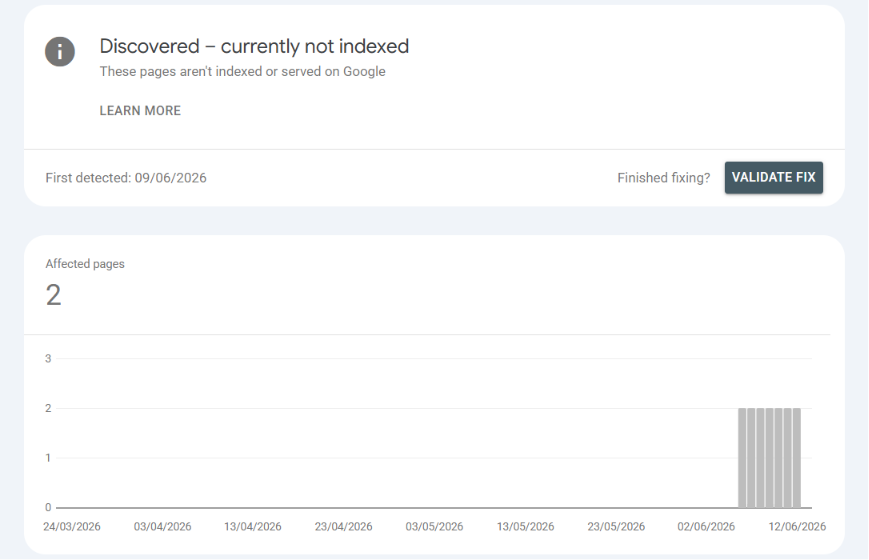
However, you should always dig into any 404 (Not Found) or Soft 404 errors. If a page moved, set up a 301 redirect. Before you click "Request Indexing," run the "Test Live URL" feature to confirm the page renders correctly and isn't blocked by robots.txt.
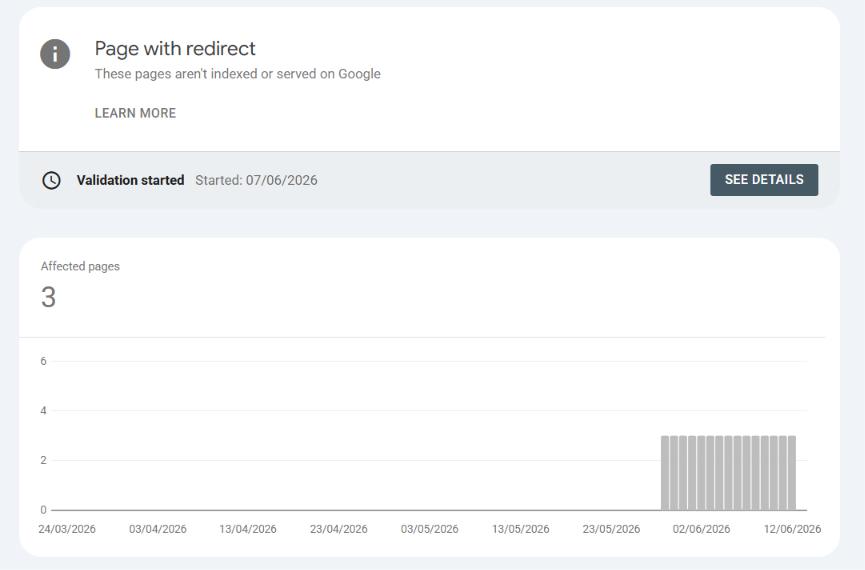
Similarly, if you see a "Page with redirect" status, don't worry. This is usually exactly what you want to see. It means Google found alternate versions of your site (like http://www.yoursite.com or http://yoursite.com) and successfully followed your server's 301 redirect to your secure, canonical domain (https://yoursite.com). Google lists these to inform you, but it naturally chooses not to index the alternate URLs to prevent duplicate content issues. It's a sign of a healthy, perfectly configured site.
2. Decode GSC Error Exports for Quick Triage
When GSC flags an issue like a Schema validation error, it lets you download the error data as a zip. Inside are three CSV files, and each one serves a different purpose.
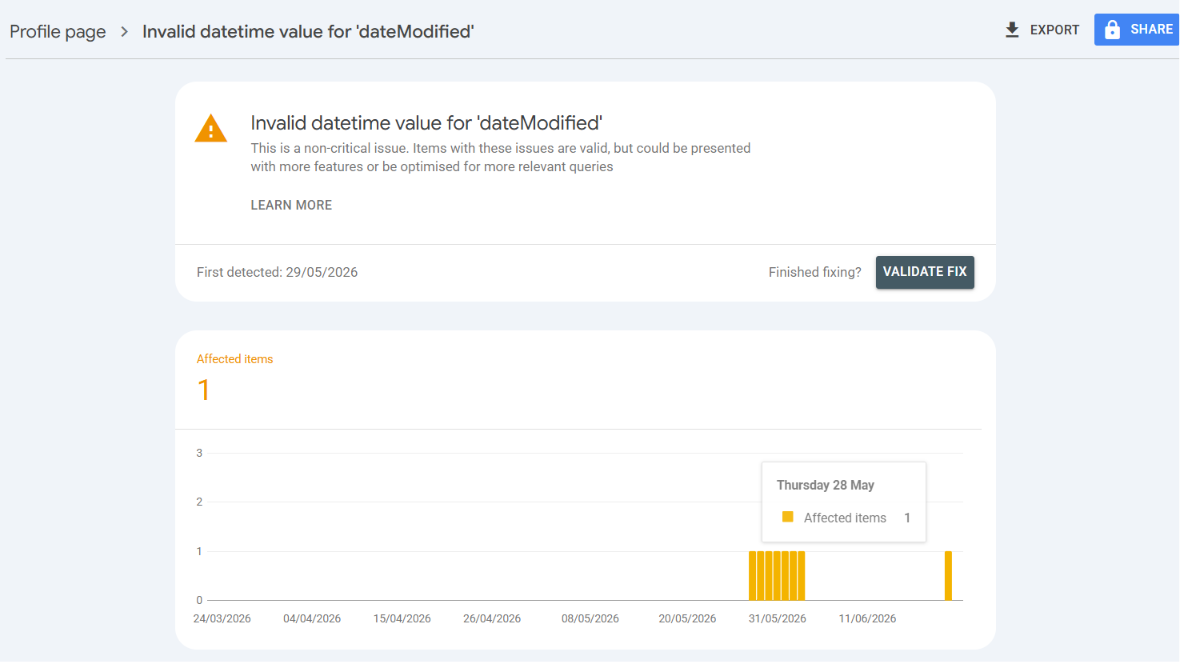
Metadata.csv tells you what the rule violation is, like Issue: Invalid datetime value for 'dateModified'. Table.csv lists the exact URLs that triggered it. Chart.csv shows how often Googlebot has been hitting that error over time. Between the three, you can trace what broke, which URL caused it, and whether it just started or has been sitting there for weeks.
3. Enforce Strict Schema.org Validation (The ISO 8601 Issue)
If you use JSON-LD structured data for AEO or SEO (like ProfilePage, WebSite, or Article schemas), Google is strict about data types, especially dates.
The Problem
A human-readable date like "dateModified": "2026-05-28" will fail validation in Google's rich result parsers and throw an Invalid datetime value error in GSC.
The Fix
Append the time and UTC offset. If you updated the page at noon in Indian Standard Time (UTC+5:30), use:
"dateModified": "2026-05-28T12:00:00+05:30"
If you do not need exact time, default to midnight UTC:
"dateModified": "2026-05-28T00:00:00Z"
The implementation is on /index.html at line 234.
4. Optimize for Passage-Level Citability (AEO)
AI Search Overviews like Perplexity, ChatGPT, or Google's AI Overviews work better with dense, definition-style blocks than fragmented paragraphs.
I rewrote my "About" section as a direct third-person statement: "Asif Sayyed is a Data Science Specialist at Marsh McLennan's Cyber Risk Intelligence Center..." I kept it between 130 and 170 words. That range seems to be where AI overviews pick it up and quote it directly.
The implementation is on /index.html at line 424.
5. Implement Generative Engine Optimization (GEO) via llms.txt
LLMs do not parse raw HTML well. A clean markdown file in your root directory gives AI crawlers something they can actually read.
I placed an llms.txt with a high-level summary of my profile. For project links, I use explicit mapping instead of standard markdown links:
- Project Name -> https://link-to-project.com: Description of the project.
I also added an llms-full.txt with deeper context, architecture details, and dependency lists for RAG pipelines. The full version is at /llms.txt lines 22 through 43.
6. Curate Your Crawler Traffic (robots.txt)
You should control which bots scrape your site. Some AI data scrapers pull content at scale without attribution.
To block models training on the Common Crawl dataset, add this to your robots.txt:
User-agent: CCBot
Disallow: /
Append your sitemap URL at the bottom: Sitemap: https://yourdomain.com/sitemap.xml. You can see mine at /robots.txt line 46.
Conclusion
You do not need an SEO agency to rank well. I treat GSC errors and AI optimization rules the same way I treat compile-time errors. Validate your structured data with the Rich Results Test. Keep your content machine-readable. Control which crawlers can access your portfolio. If you do those things, you will probably be fine.
(The companion guide on implementing SEO, AEO, and GEO tags from scratch is here: Implementing SEO, AEO, and GEO in a Developer Portfolio)
About the Author
Asif Sayyed is a Data Science Specialist at Marsh McLennan's Cyber Risk Intelligence Center, specializing in Python, Machine Learning, and Cyber Risk Analytics. He actively builds applications and open-source tools.
Did this guide help you? Check out my open-source projects on GitHub or connect with me on LinkedIn.